Viewu iOS
Browse detections on a fast event timeline, watch live camera streams, and optionally enable rich push notifications with Viewu Server. Designed for real-world deployments: reverse proxies, authentication headers, and Cloudflare Access.
- Timeline + filters for fast reviews (camera, object, zone, date)
- Live viewing with stream options that match real Frigate deployments
- Optional notifications via Viewu Server (templates to reduce noise)
Built for Frigate. Privacy-first by default.
Viewu is a native iOS companion app for Frigate NVR. Use it locally on your LAN, or expose your setup safely with a reverse proxy or Cloudflare—your choice.
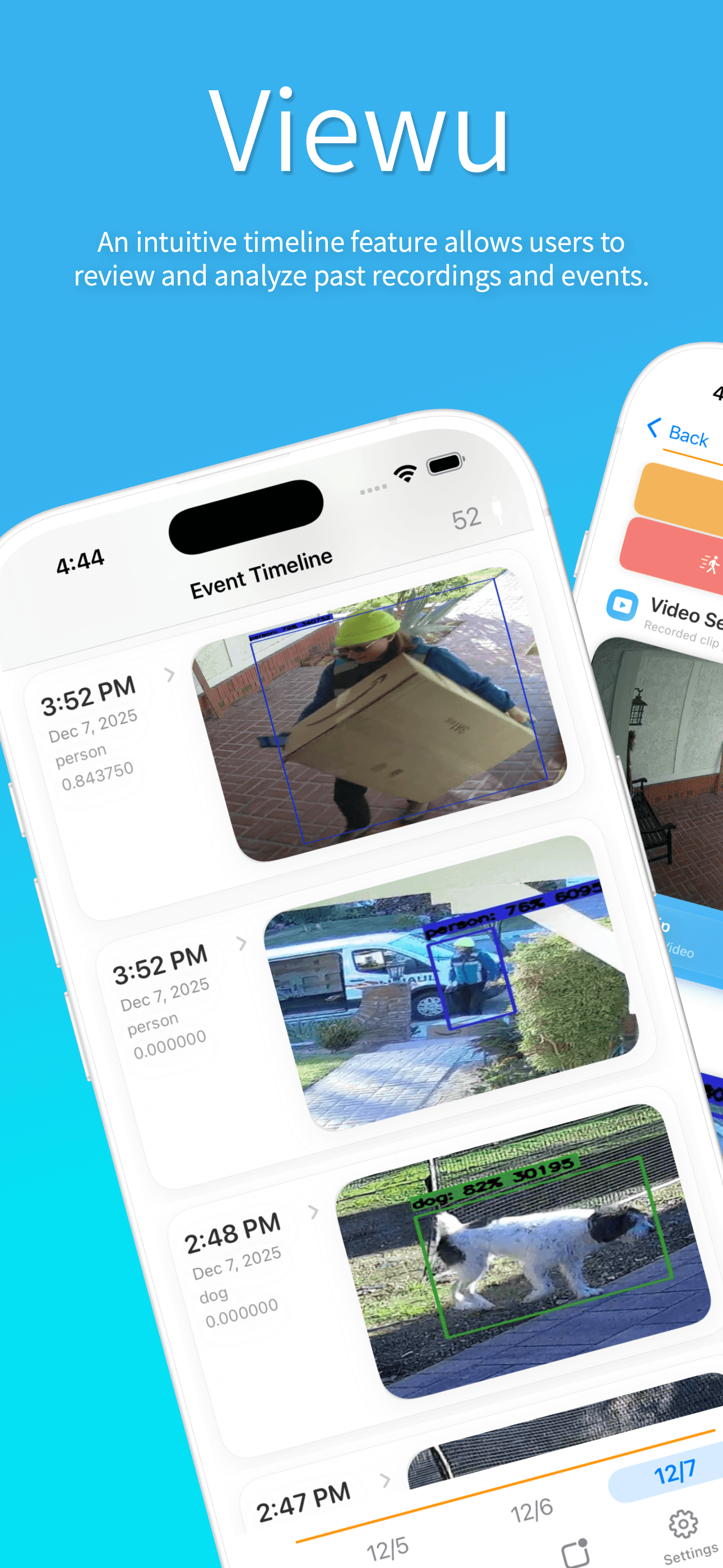
Timeline and fast filters
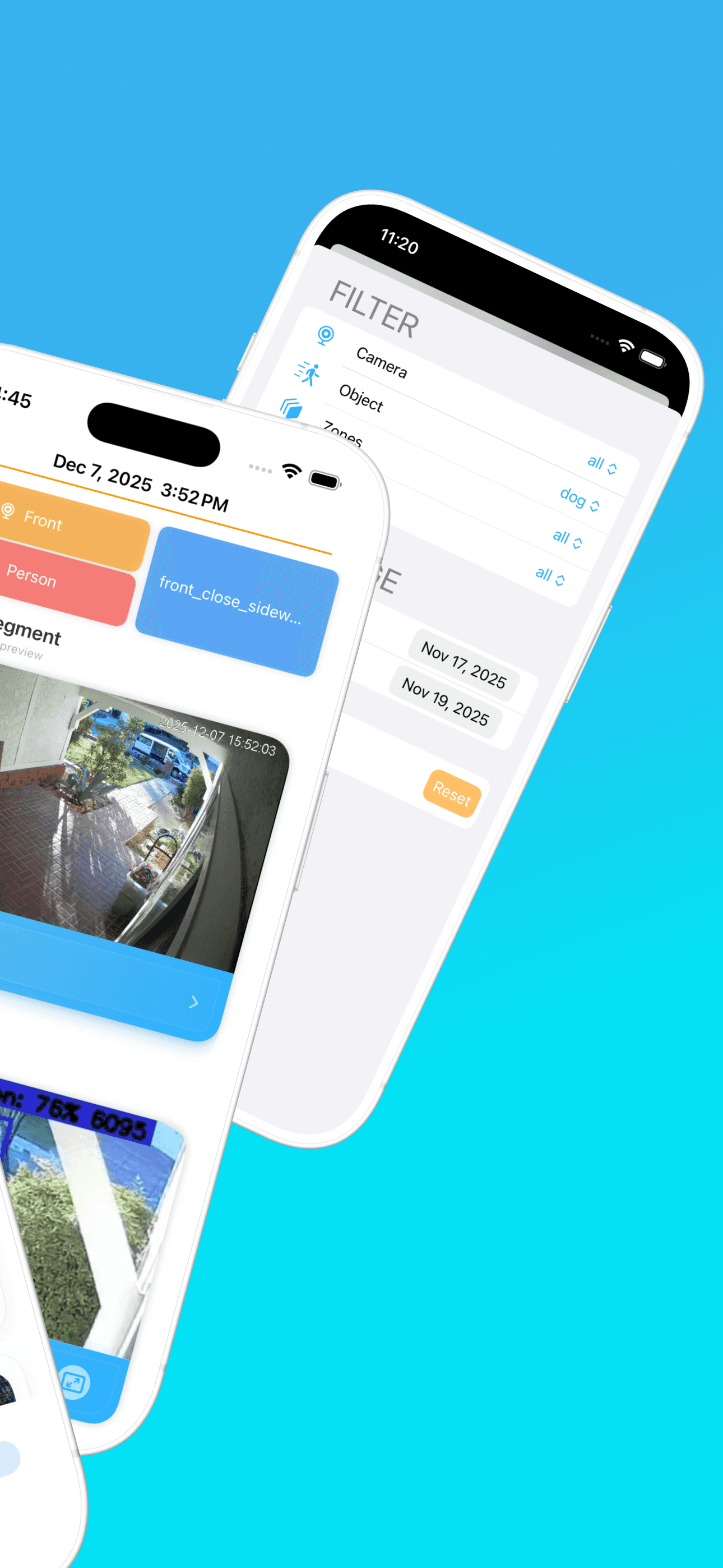
Browse detections on an event timeline and use filters to quickly narrow by camera, object, zone, and date range.
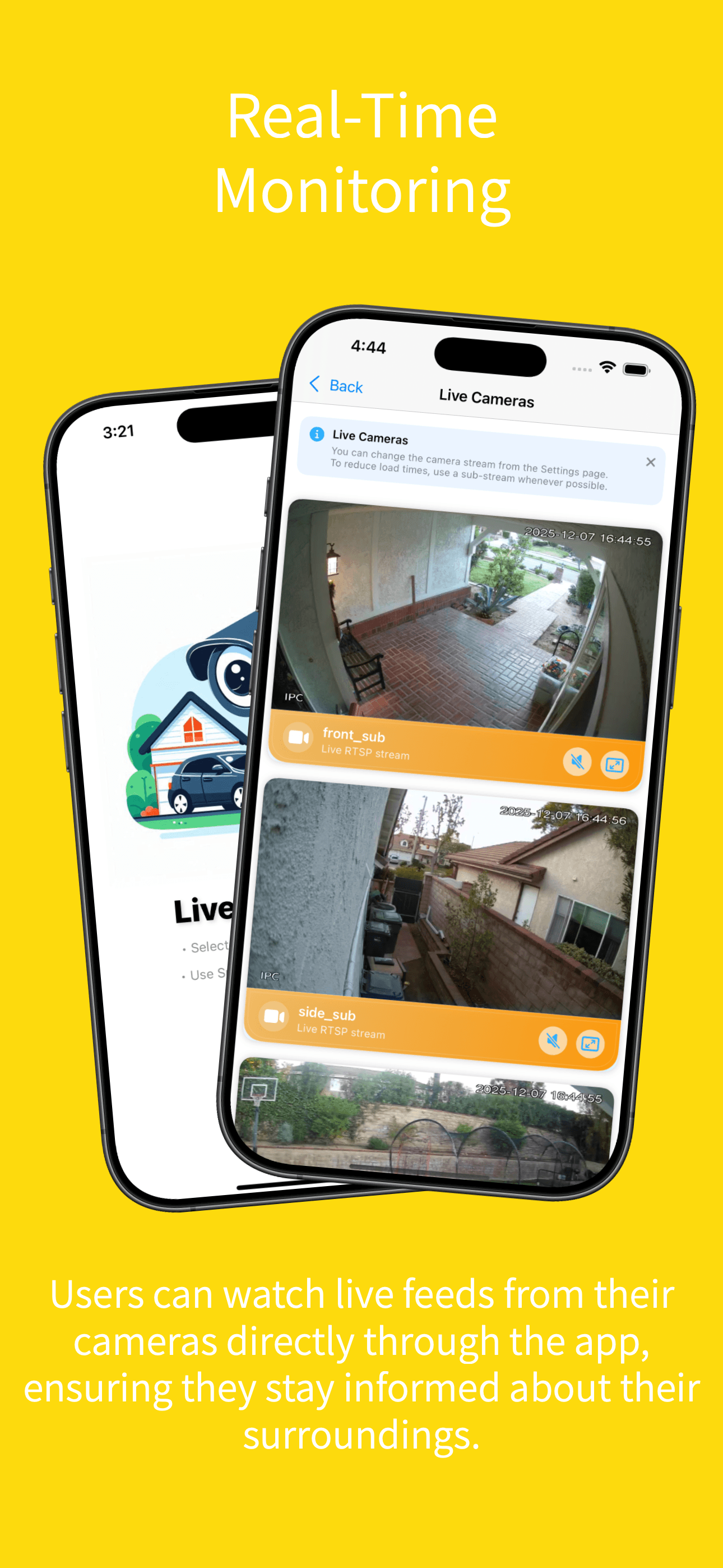
Live camera viewing
Watch live feeds with RTSP/HLS support (depending on your Frigate and camera configuration) for quick, low-latency checks.
Push notifications (optional)
Enable rich push notifications by running Viewu Server. Use templates to control what you receive and keep noise to a minimum.
Cloudflare Access and Tunnels
Connect securely over the internet using Cloudflare Access headers and Cloudflare Tunnels for both your NVR connection and MQTT.
Flexible authentication
Works with common Frigate setups including basic auth, bearer/JWT tokens, and reverse proxies. Designed to handle real-world deployments.
Local-first and privacy-first
No accounts, no telemetry, and no analytics SDKs. Your cameras and events stay in your infrastructure.
Privacy statement
Viewu does not collect or store personal information, does not require an account, and does not embed analytics SDKs. Your camera streams and events remain within your Frigate setup and (optionally) your Viewu Server.
Quick start
Get to a working setup quickly, then layer on advanced options (notifications, MQTT, remote access) in a controlled way. If you want the full walkthrough, use the Installation Guide.
Connect Viewu to Frigate
http://192.168.1.50:5000), then verify the connection.Verify timeline and live viewing
Optional: enable push notifications
Advanced options
Once the basic connection and timeline are working on LAN, these options help you harden and automate your setup.
Optional: MQTT and advanced workflows
http:// (not https://) so Cloudflare can manage TLS at the edge.Optional: secure remote access
App Screenshots
A few highlights from the core workflows: timeline review, fast filtering, live viewing, and optional notifications. Click a screenshot to view it larger.
Frequently asked questions
The answers below cover the most common setup questions and “gotchas” we see with Frigate deployments (certificates, ports, streams, and Cloudflare).
No. You can connect Viewu directly to your Frigate instance to browse the event timeline and view live streams.
Viewu Server is optional, and is primarily used for push notifications and certain advanced workflows.
Most issues come from connection details rather than the app. These are the frequent culprits:
- Using self-signed HTTPS and/or IP-based HTTPS (iOS can reject these, especially when fetching notification images).
- Wrong port (Frigate is typically
:5000unless you changed it or are behind a reverse proxy). - Live stream path issues (RTSP/HLS URLs, codecs, or network routes). Confirm playback in the Frigate UI first.
Yes. Viewu supports Cloudflare Access-style headers for protected routes, and it also supports MQTT over WebSockets when your broker is exposed through a Cloudflare Tunnel.
Practical tip: for MQTT-over-WebSockets, Cloudflare typically terminates TLS at the edge, so your tunnel ingress origin is often http:// (not https://).
iOS is least forgiving with self-signed certificates and HTTPS URLs that use a raw IP address instead of a hostname. Even if a browser accepts it, background requests (including notification image downloads) may fail.
The most reliable fixes are: use HTTP on your LAN, use a hostname with a valid certificate, or use Cloudflare to handle TLS.
Notifications are powered by Viewu Server. The app includes a Notification Manager where you can create templates (filters, messages, media) and sync those templates to your server.
If you want a “quick win”, get the timeline working first, then add Viewu Server. That sequence makes debugging much easier.
No. Viewu is designed to be local-first and privacy-first: no accounts, no analytics SDKs, and no telemetry.
Your camera data stays within your Frigate setup and (optionally) your Viewu Server.
About Viewu
Viewu started as a personal project to make Frigate NVR easier to use on iOS—especially for quick, everyday checks. It has grown into an open-source app focused on real-world deployments: different auth styles, reverse proxies, and secure remote access.
Design principles
- Privacy-first: no telemetry, no accounts, no analytics SDKs.
- Fast workflows: timeline + filters for detections, plus quick access to live viewing.
- Optional add-ons: run Viewu Server only if you want push notifications and advanced automation.
- Compatible setups: built to handle the ”messy middle” (headers, JWTs, Cloudflare Access, and more).
Ready to try Viewu?
Download the app and connect to your Frigate instance. You only need to run Viewu Server if you want push notifications.
- Start on LAN first, then add remote access (Cloudflare / reverse proxy) once everything works.
- If you hit SSL issues on iOS, avoid self-signed HTTPS or use a hostname with a valid certificate.
- Use the Installation Guide for a step-by-step walkthrough and common troubleshooting tips.